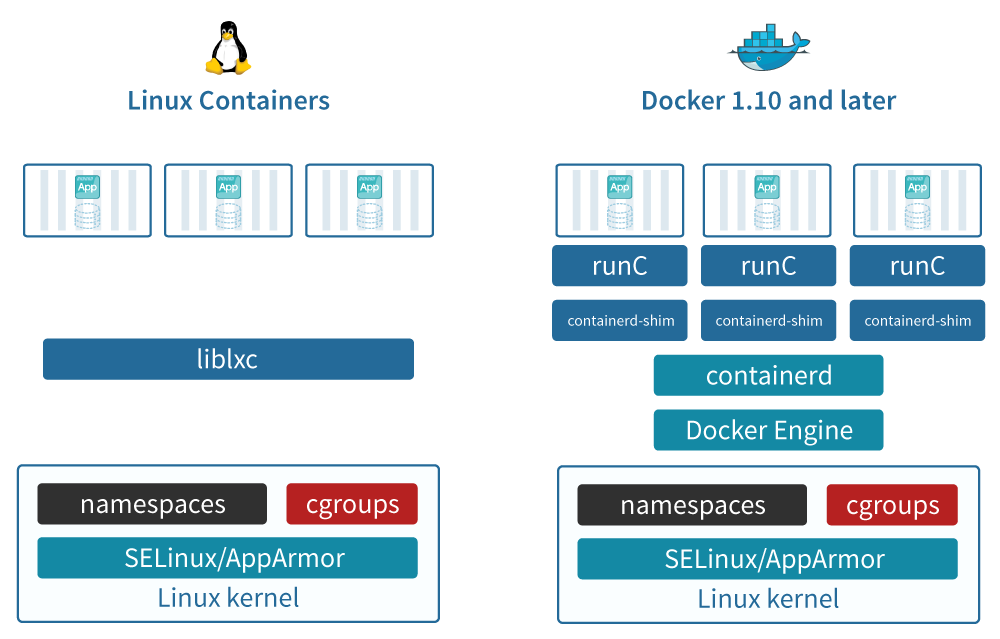
Containers
Linux containers
What are containers?
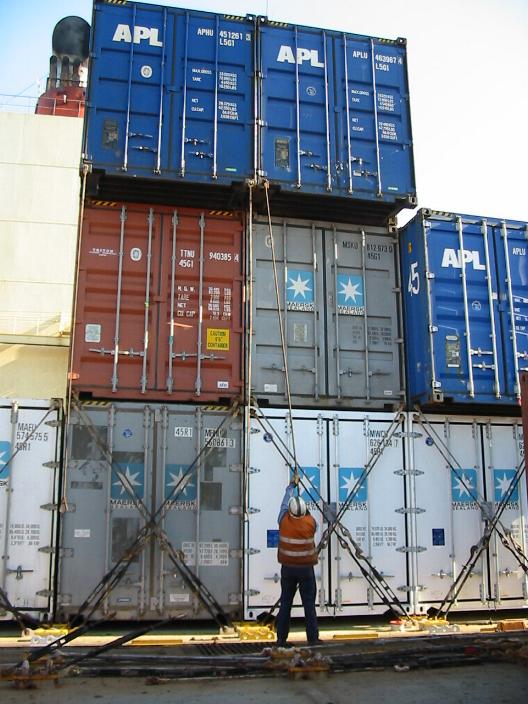
Source: Danny Cornelissen, Attribution, via Wikimedia Commons.
A Container can be seen as a minimal virtual environment that can be used in any Linux-compatible machine (and beyond).
Using containers is time- and resource-saving as they allow:
Controlling for software installation and dependencies.
Reproducibility of the analysis.
Containers allow us to use exactly the same versions of the tools.
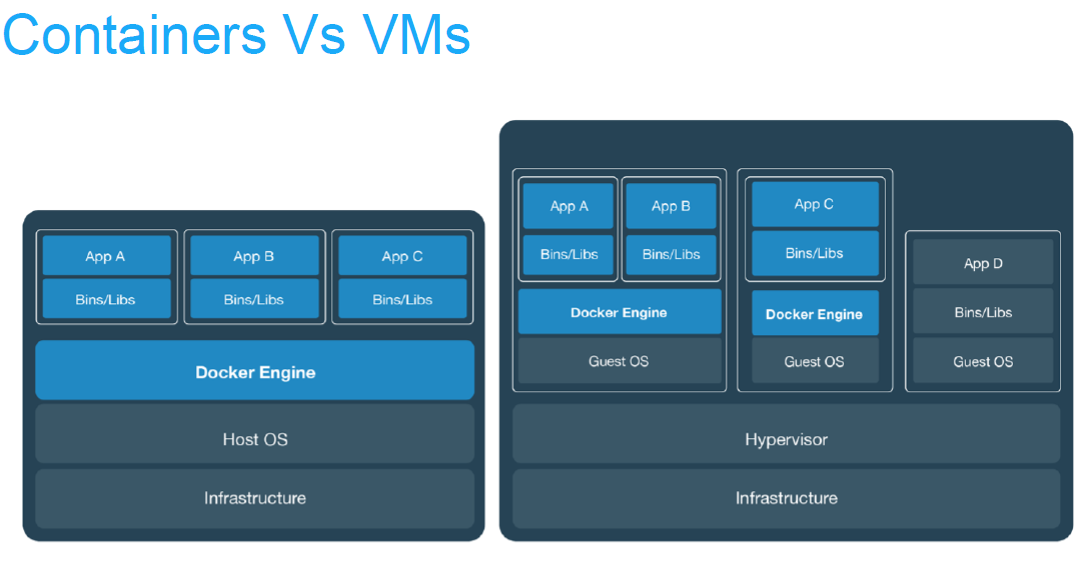
Containers or virtual machines ?
Containerisation (aka lightweight virtualisation) |
Virtualisation |
|---|---|
Abstraction of application layer |
Abstraction of physical hardware |
Depends on host kernel (OS) |
Depends on hypervisor (software) |
Application and dependencies bundled all together |
Do not confuse with hardware emulator |
Every virtual machine with an OS (Operating System) |
Enable virtual machines |
Containers vs Virtual machines
Pros and cons
ADV |
Containerisation |
Virtualisation |
|---|---|---|
PROS. |
No need of full OS installation (less space). Better portability Faster than virtual machines.> Easier automation. Easier distribution of recipes. |
Very similar to a full OS. High OS diversity |
CONS. |
Some cases might not be exactly the same as a full OS. Still less OS diversity, even with current solutions |
Need more space and resources. Slower than containers. Not that good automation. |
History of containers
chroot
chroot jail (BSD jail): first concept in 1979
Notable use in SSH and FTP servers
Honeypot, recovery of systems, etc.

Additions in Linux kernel
First version: 2008
cgroups (control groups), before “process containers” : - isolate resource usage (CPU, memory, disk I/O, network, etc.) of a collection of processes
Linux namespaces : - one set of kernel resources restrict to one set of processes